
To make the explanation easier, we will use an example as we go by the different steps.
1- The first thing we need to do is navigate to the profiles sections and click on the “+” to create a new profiles tab then click “+ New Profile”:
A menu with empty fields will pop up, make sure to fill them with your address then click “Save profile”, we will use a fake address:
Once your profile is ready, we need to insert our proxies. Head into the proxies tab and click on “+” to create a new proxy group. Then click on “+ New list” to insert your proxies.
After inserting and saving your proxies, it’s time to set up PKC (Pokemon Center) in TSB!
Pokemon Center Setup
Pokémon Center uses a queue-based checkout system.TSB uses Monitor Tasks to detect the queue and Request Tasks to enter the queue and complete checkout.
Before configuring tasks, make sure all required components are installed and ready.
Requirements
Before running Pokémon Center tasks, make sure you have the following:
- Profiles created in TSB
- ISP or Residential Proxies (ISP Preferably)
- Microsoft Edge installed
- Updated version of TSB 2.0
Edge is required for TSB AI Autosolve.
Create a Task Group
Create Tasks
Once you’ve created your profiles, added your proxies, you’re now all settled to start configuring your PKC tasks.
First, you create a task group and make sure you select “Pokemon Center” and name the group as you wish.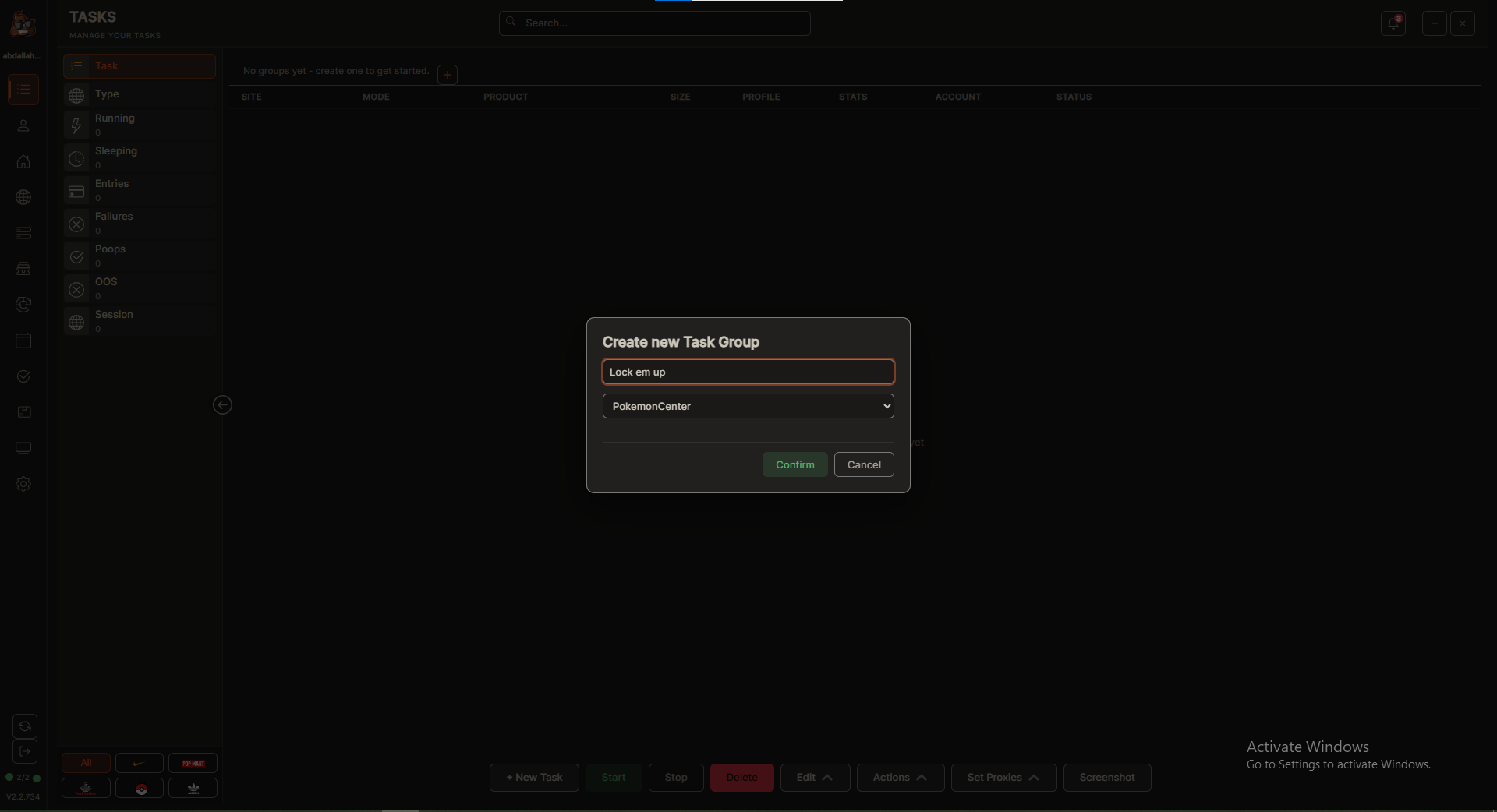
Then, as usual, you create new task, select the profiles you have ready, select the proxy group you have added in proxies tab, you can leave everything else empty or adjust settings the way you want to setup. As for mode, we only have request mode, which allows you to run thousands of tasks, run as many profiles as you have, TSB will do everything for you.
Note: We recommend leaving the URL field empty and wait for our monitor to ping on discord before you inject the sku.
Once you’ve finished all the steps above, you’re more than ready to start your tasks, and inject sku once the item goes live.
Table of Contents